QTH Lamp Power Supply, 600-1000 W, Power, Current, Intensity, RS-232/USB


Model: OPS-Q1000

Product Series Overview
OPS-Q QTH Lamp Power SuppliesThe OPS-Q1000 power supply is a high stability current and voltage source for operating 600-1000 W quartz tungsten halogen (QTH) lamps. A large LCD screen and easy to use push button and knob conveniently located on the front panel allow the user to navigate through the power supply’s functions. These functions include choice of Power, Current, and Intensity control modes and setting the limits and observing in real time the important parameters of each operating mode. Up to four setups consisting of these preset parameters can be saved for easy recall in the future. For users that prefer computer control, RS-232 and USB connectors are located on the rear panel to control all of the power supply’s capabilities on a Windows based PC.
The OPS-Q1000 also monitors how long the current lamp in use has been operated, allowing the user to determine when the lamp may be approaching the end of its usable lifetime. The OPS model power supplies are also CE and RoHS compliant.
User Interface with Large LCD Display
Constant Current, Power, and Intensity Control Modes
The OPS Series power supplies allow the lamp to be operated in power, current, and intensity control modes. There is very little difference in the short term output stability when operating a QTH lamp in constant current or constant power mode. However, the differences appear as the lamp ages. Even with a stable power supply, deposits on the inside of the lamp envelope are visible as the lamp filament degrades, changing the electrical characteristics of the lamp. More details can be found in the manual.

Integrated Shutter Control and Timer Features
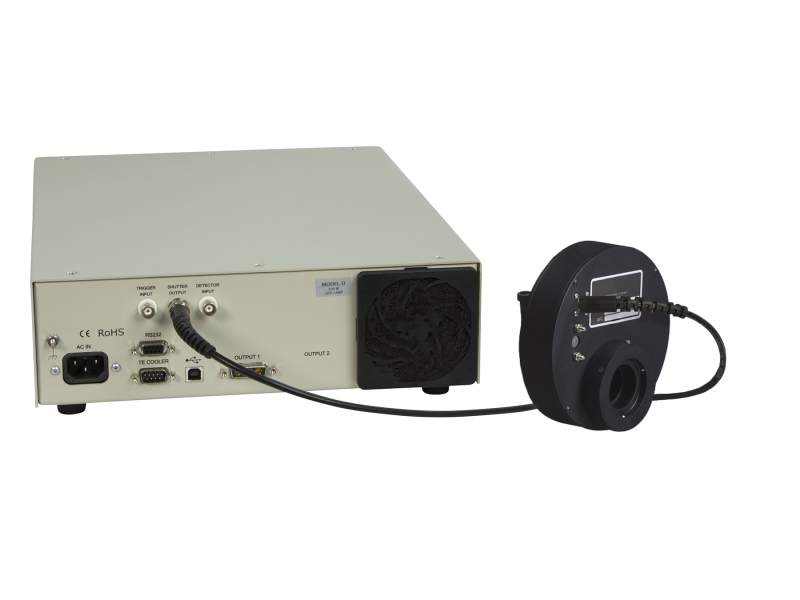
The shutter control feature of the OPS model power supply is useable in power, current, and intensity control modes. Any shutter which responds by opening or closing when receiving a TTL signal can be controlled by the OPS Power Supplies. This includes the low-cost TTL shutter characteristic of Oriel model 71445 and the shutters designed into the Oriel Solar Simulators. A BNC connector is located on the rear panel of the power supply to output these TTL signals to the electronic shutter. The shutter can be manually opened or closed by pressing the SHUTTER button on the front panel of the power supply. RS-232 or USB control of the shutter is possible as well. Utilizing the OPS Power Supply's shutter control feature enables Timed exposure control mode. The exposure or open time of the shutter and number of repeat cycles is set by the user. Exposure times can be paused and resumed at will or reset to 0 in the middle of an exposure with the easy to use push buttons on the front panel.
Configuration Settings

Safety Interlock Prevents Accidental Exposure

OPS Power Supply Demonstration Video
Resources & Downloads
Literature
Oriel OPS-Q Series Power Supply Datasheet(5.9 MB, PDF)
Software
OPS(4.6 kB, ZIP) Oriel API Examples & Instructions(3.4 MB, ZIP)
Manuals
Oriel OPS-Q Power Supply Series Quick Start Guide(1.1 MB, PDF) Oriel OPS-Q Power Supply Series User's Manual(3.1 MB, PDF)
MKS EU ROHS3 - OPS Series Lamp Power Supplies.pdf(231 kB, PDF)
Drawings And Cad
OPS Without Ears Drawing(167.1 kB, PDF)
Related Products
Similar
| Compare | Description | Drawings, CAD & Specs | Avail. | Price | ||
|---|---|---|---|---|---|---|
| OPS-Q250QTH Lamp Power Supply, 45-250 W, Power, Current, Intensity, RS-232/USB |