XPS-D Universal High-Performance 1-8 Axis Motion Controller and Driver
XPS-D Universal High-Performance 1-8 Axis Motion Controller and Driver
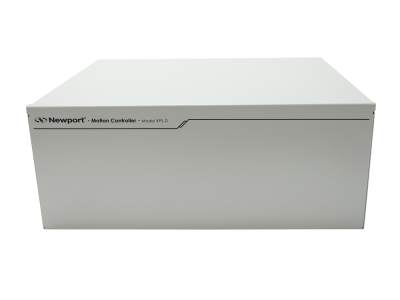
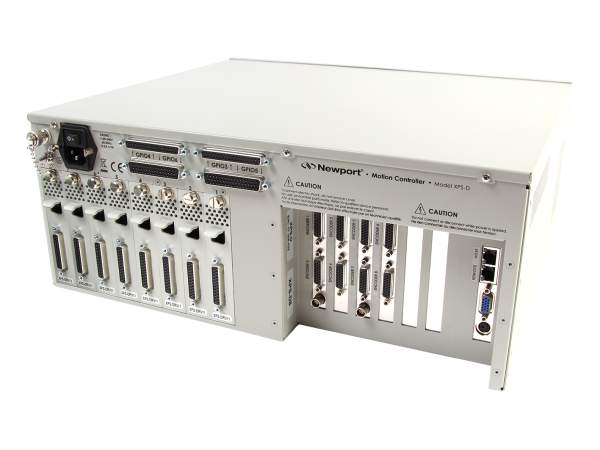
The 8-axis, high-performance XPS-D motion controller is capable of controlling a variety of motor types and execute complex motion through high-speed Ethernet TCP/IP interface.
- Up to 8 axes universal motion controller
- High-speed 10/100/1000 Base-T Ethernet TCP/IP communication
- Up to 20 kHz servo loop with advanced variable PID’s
- Wide variety of motion modes from basic to complex PVT trajectories
- Extensive Analog and Digital I/O Capability
- High speed up to 4-Axis PCO See All Features
| Compare | Description | Drawings, CAD & Specs | Avail. | Price | ||
|---|---|---|---|---|---|---|
 | XPS-D2Universal Motion Controller, High Performance, 2-axis, Ethernet | |||||
| XPS-D4Universal Motion Controller, High Performance, 4-axis, Ethernet | |||||
| XPS-D6Universal Motion Controller, High Performance, 6-axis, Ethernet | |||||
| XPS-D8Universal Motion Controller, High Performance, 8-axis, Ethernet |
Specifications
- TypeUniversal Controller
- Command SetObject oriented language, 100+ functions, TCL generated scripts, EPICS Compatible
- CompensationLinear error, backlash, error mapping
- Computer InterfacesTwo Ethernet 10/100/1000 Base-T (RJ45) with Fixed and Dynamic IP with DHCP & DNS for local and network communication.
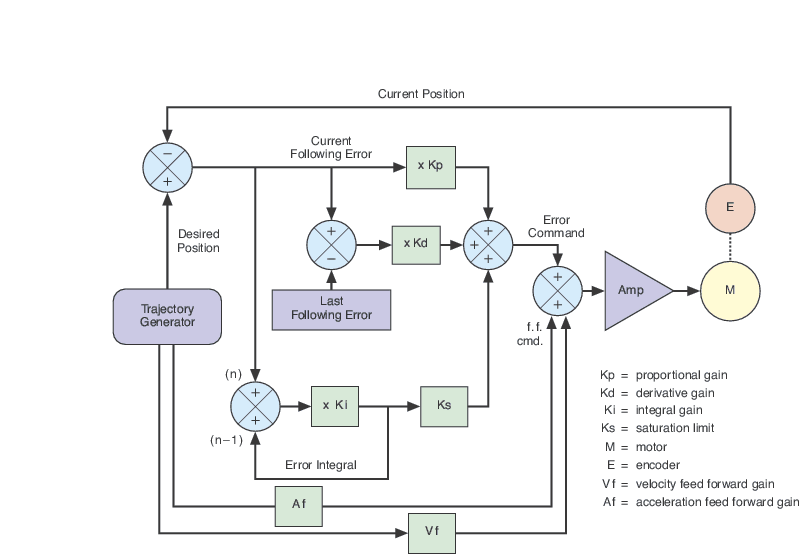
- Control AlgorithmPI Position, PIDFF Velocity, PIDFF Acceleration, PIDDualFF Voltage, Variable PID's, Derivative Cut-off Filter, Notch Filters, or Open Loop
- ESP CompatibilityESP Stage Detection
- MotionMulti-Axis PCO. Synchronized pt to pt, Spindle, Gantry, Linear/circular interpolation, Splines, PVT, Analog tracking, Master-slave
- Motor ControlDC, Servo, Linear, Brushless, piezoelectric stacks, others via pass through card
Features
Inputs and Outputs for Integrating External Devices
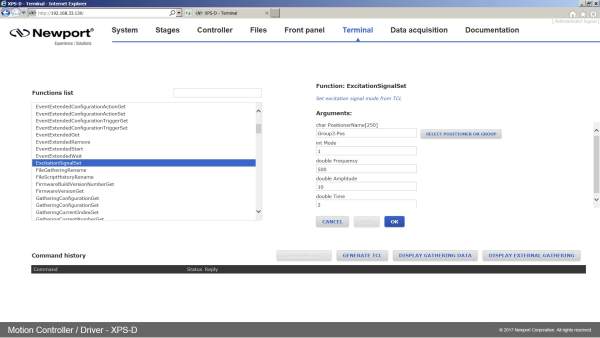
The XPS has a 40 digital input and 40 digital output to read external switches, control valves or other digital devices and 8 analog Inputs and 8 analog outputs to precisely monitor any motion axis (such as position, velocity or acceleration). To synchronize external devices during a motion process, the XPS has dedicated "event and action" API's which users can use to trigger an action upon the occurrence of an event. Typical examples include sending a digital output when constant velocity is reached or initiating a TCL script when the motion is done. Once defined, the XPS autonomously monitors the status of the event to trigger the action with a latency of less than 100 µs! This powerful feature does not require any complex programming by the user and does not consume any time of the host PC or communication link since processing is done at the controller level. The XPS can be used as a master controller for a complete application.
Sockets, Multitasking and Multi-User Applications in One Controller
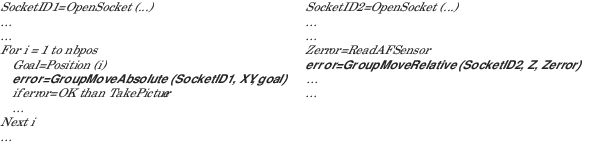
Based on the TCP/IP Internet communication protocol, the XPS controller can utilize up to 80 virtual communication ports, known as sockets. Users can split their application into segments that run independently on different threads or even on different computers. Another practical advantage for many laboratory users is that sockets allow them to concurrently share the same controller for different applications. For example, it is possible for one group to use one axis of the XPS controller for an optical delay line while another group simultaneously uses the other axes for a totally different application. Both applications can run independently without any delays or cross-talk.
In the example below, a thread on socket 1 commands an XY stage to move to certain positions to take pictures while another thread on socket 2, independent of socket 1, concurrently manages an auto-focusing system.
Native Tool Command Language (TCL)
High speed up to 4-Axis PCO
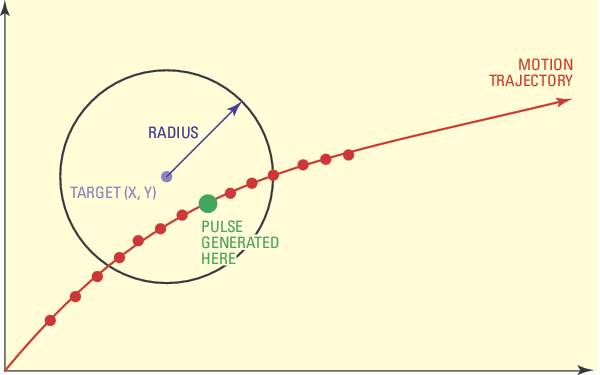
XPS-D works in real time for up to 4 axes with one PCO connector. It generates pulses by comparing actual encoder feedback position with a set of predefined value within <35ns. The fast compensated PCO takes in account various mapping and compensations to fire trigger pulses at the desired positions within 5ns accuracy and frequency up to 1.6 MHz.
ESP Plug-and-Play Compatibility

Universal Driver Card Module
The

Optimum Position Grouping
Compensation for Maximum Accuracy
An extensive set of compensation features are available to the user including backlash, linear error and error mapping in single, 2D, or 3D. All compensations are corrected dynamically at each servo cycle, updated at the rate of 20 kHz. This broad selection of options transforms the most basic positioner into a high performance device; thus increasing the accuracy and performance of any motion application culminating in more reliable results.

Line-Arc, Spline and PVT Trajectories Motion Paths
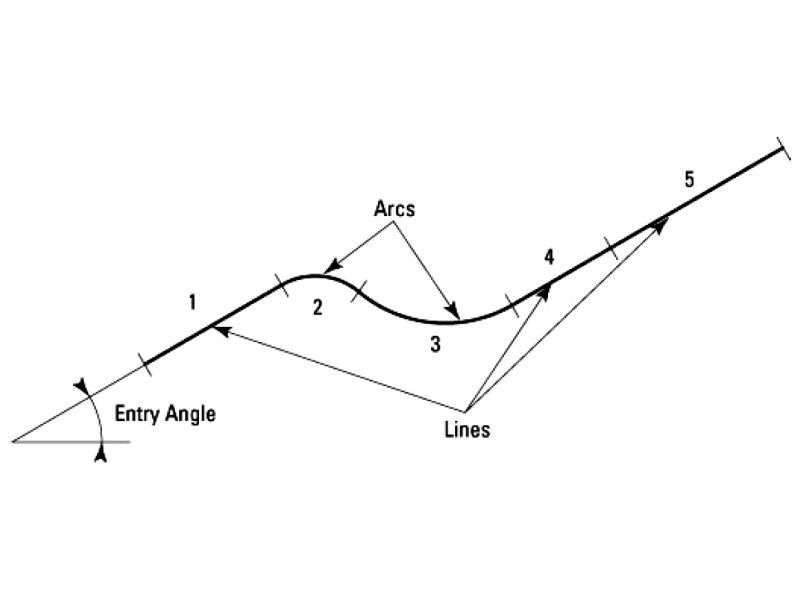
The Line-arc trajectory is a motion path defined by a combination of straight and curved segments (available only for positioners in XY groups) such that constant speed is maintained throughout the entire region of interest. Sequential execution of the lines-arc trajectories eliminates discontinuities. A dedicated function performs a precheck of the trajectory to ensure optimized and safe execution within the positioners' parameters. The spline trajectory executes a Catmull-Rom spline on an XYZ group, passing through user-specified points with 3rd order polynomial segments at a constant speed. Similar to Line-arc trajectory, spline trajectory has functions for trajectory prechecking. The PVT-mode is the most flexible mode for creating complex trajectories. In PVT, a trajectory element is defined by the end position (P) and end speed (V) of each positioner plus the duration for the element (T). The controller then calculates the cubic function trajectory that will pass through all defined positions at the defined times and velocities. PVT is a powerful tool for any kind of trajectory with varying speeds and for trajectories with nonlinear motion devices.

Real-time Processing and Multitasking

Command Motion With an External Analog Device

Variable PIDs
XPS-GCODE
XPS-GCODE software enables your XPS to become a powerful, high-precision laser machining center that can read and convert G-codes, display the tool path and execute trajectory routines with the power and precision of Newport Motion Control.

1nm MIM
When the XPS-D uses an XPS-DRV11 universal driver card to control an XM Series ultra-precision linear motor stage, 1-nm minimum incremental motion is achievable without filtering in a properly controlled environment and under appropriate load and speed conditions. For more information, please contact Newport to discuss your application.
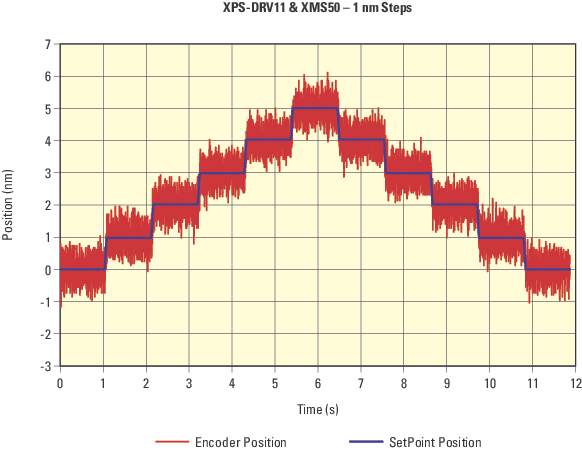
OEM Version
Higher axis (12 or 16) options, split AC power input, EtherCAT communication, and absolute encoder interface are available upon request. Contact Newport for more information.
Photonic Device Search Algorithms
Functions dedicated to automated alignment of optical fibers or silicon photonics are implemented in the XPS controller.
In addition to hardware solutions, MKS has also developed algorithms that will make it easier to optimize and speed up fiber alignment. In our XPS-D Motion Controller, 7 alignment algorithms in the form of Application Programming Interface (API) are available in the firmware. When programming the fiber alignment system, any of these API functions can be used via a simple command to execute a motion pattern. For more details, check out our Optical Fiber Alignment White Paper.
|
Photonic Device Search Algorithm (PDSA) API |
Beam Profile: Gaussian or Single Peak |
Beam Profile: Plateau or Multiple Peaks |
Find First Light |
Find Peak Power |
Find Peak Power along Beam Axis (Z) |
Stop when Threshold Reached |
Max Number of Axes |
|---|---|---|---|---|---|---|---|
| Axis by Axis | X | X | 6 | ||||
|
Dichotomy |
X | X | 6 | ||||
|
Escalade (Continuous) |
X | X | 3 | ||||
| Escalade (Square | X | X | X | 3 | |||
| Raster | X | X | X | X | 2 | ||
|
Spiral (Continuous) |
X | X | X |
3 |
|||
|
Spiral (Square) |
X | X | X |
2 |
Note that the PDSA is currently only usable with the first configured MultipleAxesGroup.
Refer to Section 15.0 in the XPS Controller Features Manual for more information on the different APIs.
Refer to optical fiber alignment page for an application example and comparison of the different algorithms (advantages and disadvantages).
Stage and Actuator Compatibility
The XPS Universal High-Performance Motion Controller and Driver is compatible with the motorized stages and actuators from the product series listed below. For more details – including required driver cards and cables – please see the Stage and Controller Compatibility technical note or the motorized stage's or actuator's series page.
Motorized Linear Stages
-
High-Performance Mid-Travel ILS DC and Stepper Motor Linear Stages
-
High Load Capacity Steel MTN DC and Stepper Motor Linear Stages
-
High-Performance Long-Travel IMS DC and Stepper Motor Linear Stages
Motorized Rotation Stages
-
Integrated Vertical and Rotation ZVR DC and Stepper Motor Stages
-
High Precision BGM and BGS DC and Stepper Motor Goniometric Cradles
Motorized Vertical Linear Stages
Motorized Actuators
Accessories
Cable Kit for Direct Drive Stages
Compatible with XPS-DRV11 and -S Stages
| Compare | Description | Drawings, CAD & Specs | Avail. | Price | ||
|---|---|---|---|---|---|---|
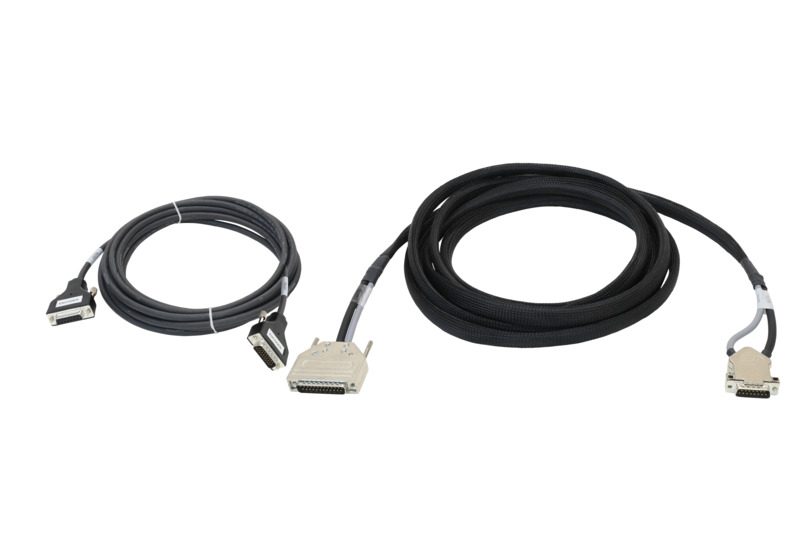 | XPS-DK21Cable Kit, For Stages RGV100-S, and XPS-DRV11 Driver | |||||
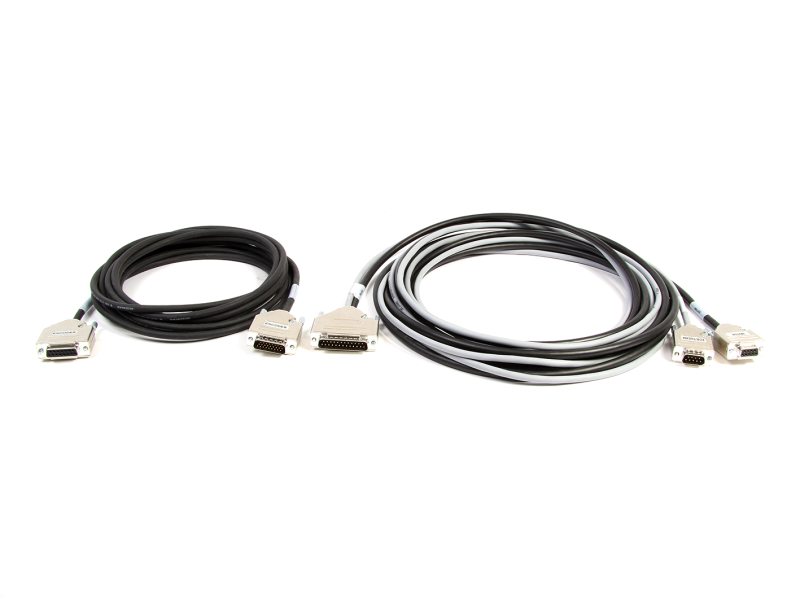 | XPS-DK22Cable Kit, For Stages IMS-LM-S, XM-S, and XPS-DRV11 Driver | |||||
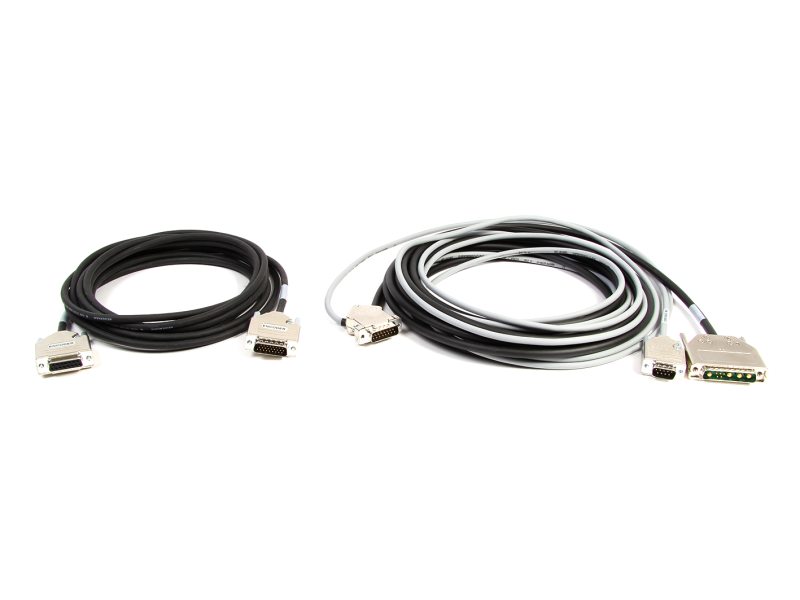 | XPS-DK23Cable Kit, For Stages RGV100HL-S, and XPS-EDBL Driver | |||||
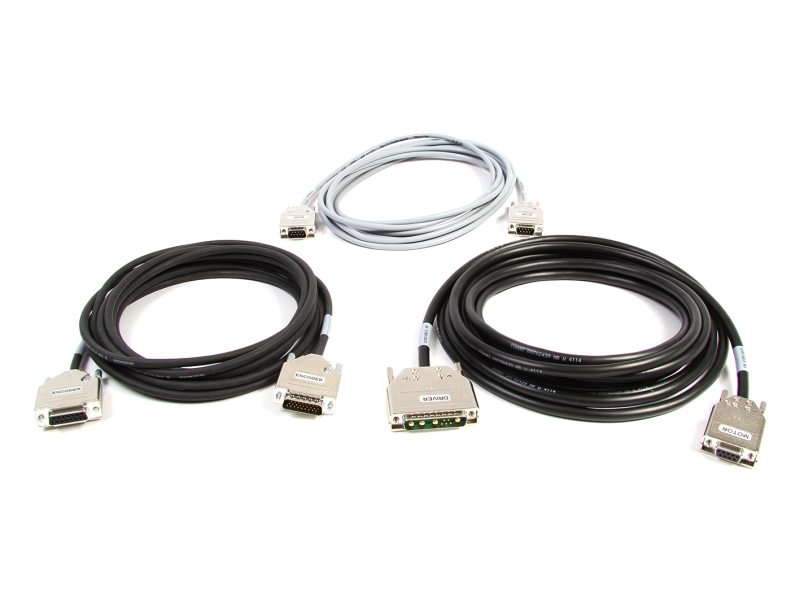 | XPS-DK24Cable Kit, For Stages IMS-LM-S, and XPS-EDBL Driver | |||||
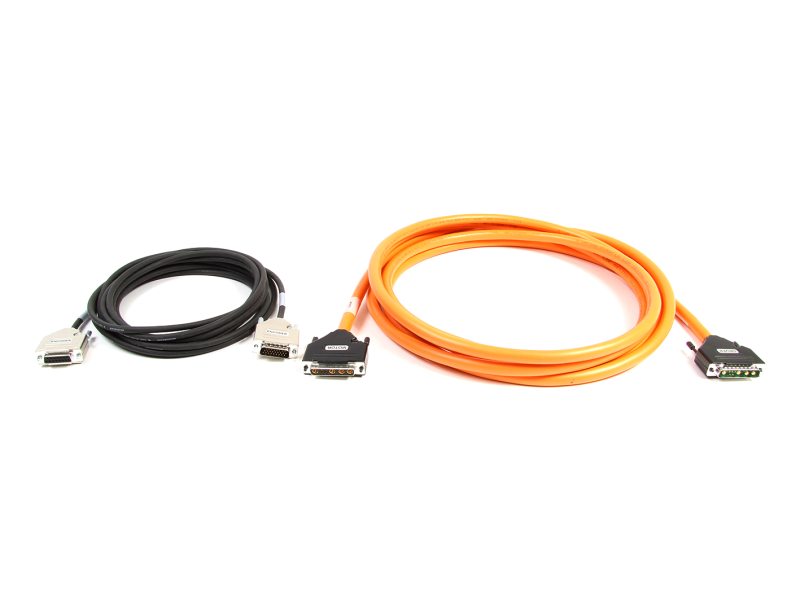 | XPS-DK25Cable Kit, For Stage RGV160BL-S, and XPS-EDBL Driver |
Accessories


Similar Controllers
Other ESP Compatible Controllers


Compatible Driver Card
| Compare | Description | Drawings, CAD & Specs | Avail. | Price | ||
|---|---|---|---|---|---|---|
| XPS-DRV11Motion Controller Card, Universal, Stepper, DC, and Linear Motors |
Resources
Application Notes
A Diamond in the Rough: Industrial Diamond Cutting and Processing with a 4-Axis Precision Motion System(517.1 kB, PDF) XY-Theta Motion System For Laser Scribing on LED Wafer(1.3 MB, PDF) Fiber Spool Winding Application with Custom 5-Axis Motion System(145.1 kB, PDF) Workstation for Laser Direct-Write Processing(4.4 MB, PDF) Testing MEMS-based Accelerometers in GPS Navigation System with a Custom 2-Axis Gimbal(388.8 kB, PDF) Photon Echo Spectroscopy(315.6 kB, PDF) High Speed Automated Optical Inspection (AOI) System(611 kB, PDF) Photoresponse Mapping of Photovoltaic Cells(5.4 MB, PDF) XPS-RC Download(335.4 kB, PDF) AWARE - Wide Field of View Camera(517.7 kB, PDF) Extremely Large Telescope Metrology(408.5 kB, PDF) Building a High Performance Non-contact Optical Surface Metrology System(400.4 kB, PDF) Ultrafast Laser Micromachining with Newport XYZ Motion System(393.9 kB, PDF) Motorized Alignment System Brings a New Light into Optical Fiber(787.2 kB, PDF) Optical Inspection With XY Stages in Lithography Machine System(221 kB, PDF) Z-Scan for the Characterization of Transparent Optical Materials(407.7 kB, PDF) Scanning X-ray Fluorescence with Newport Linear Stages(1.7 MB) Terahertz Pulse Generation with Ultrafast Laser and GTS Precision Linear Stage(641.2 kB, PDF) Fiber Grating Inscription System With Newport IMS Series Stage(211.5 kB, PDF) Three-Dimensional Microfabrication by Two-Photon Polymerization(932.1 kB, PDF) Fast Steering Mirror Technology Active Beam Stabilization(270.7 kB, PDF) Flame Test Automation with Shadowgraph Technique(265.8 kB, PDF) Surface Metrology.pdf(134.1 kB, PDF) Precision Alignment in Photonic Device Assembly and Testing(2.6 MB, PDF)
Technical Notes
Interfacing an Interferometer Encoder to an XPS Controller(148.9 kB, PDF) A Beginner’s Guide to Homing with the XPS(1.8 MB, PDF) XPS-Q High Speed Position Compare Output(1 MB, PDF) XPS Positioner Mapping Compensation(200.1 kB, PDF) XPS TCL Script to Execute a PVT Trajectory(249.7 kB, PDF) Setting up an XPS with a Direct Drive Stage and SIN/COS Encoder(1.8 MB, PDF) Trigger Synchronization using a Newport XPS Series Motion Controller(303.1 kB, PDF) Metrology and Acceptance Test Procedure Newport Motion Control and EPICS Guidelines for Tuning With The XPS Motion Controller(1.7 MB, PDF) Controlling a Newport Stage With a Missing or Damaged ESP Chip(10 MB, PDF) Socket Communication on the XPS using TCL - Technical Note(891.7 kB, PDF) Stage and Controller Compatibility Guide GUI_Launch_error_AdminRights_solution(33.9 kB, PDF) LabVIEW Programming Using XPS.NET Assembly(2 MB, PDF)
Literature
Telecom Data Brochure(4.9 MB, PDF)
Software
HXP / XPS.Net Assembly _V2.3.1(8 MB, ZIP) XPS-D/XPS-RLD StageDataBase V4.3.17(376.2 kB, ZIP) Snapshot (firmware) Compatibility(382.9 kB, PDF) Snapshot-XPS-D-USB_N13105 SN > 22308106(99.9 MB, ZIP) Snapshot-XPS-D_N13023 SN < 22308106(100.5 MB, ZIP)
Manuals
XPSUnified_CommandInterface.pdf(2.7 MB, PDF) XPS-D and HXP-ELEC-D Start-Up Manual.pdf(8.2 MB, PDF) XPS-D User Interface Manual.pdf(8.3 MB, PDF) XPS-D Configuration Manual.pdf(5.6 MB, PDF) XPS-D Features Manual.pdf(8.7 MB, PDF) XPS Unified - Programmer's Manual.pdf(6.8 MB, PDF)
Data Sheets
XPS-D Datasheet.pdf(2.9 MB, PDF)